Chart of accounts and ledgers
Structure your books the way your business is organised, with account groups and ledgers you control.
- Account groups and sub-groups
- Ledgers for every party and head
- Fiscal years
ERPX gives finance teams one set of books for the whole business. Post a voucher once and the ledger, trial balance, profit & loss and balance sheet all reflect it immediately — no re-keying and no month-end reconciliation between spreadsheets.
Because sales, purchases, inventory and payroll live in the same workspace, the numbers in your accounts come from the transactions that created them, and every change is recorded in the audit trail.
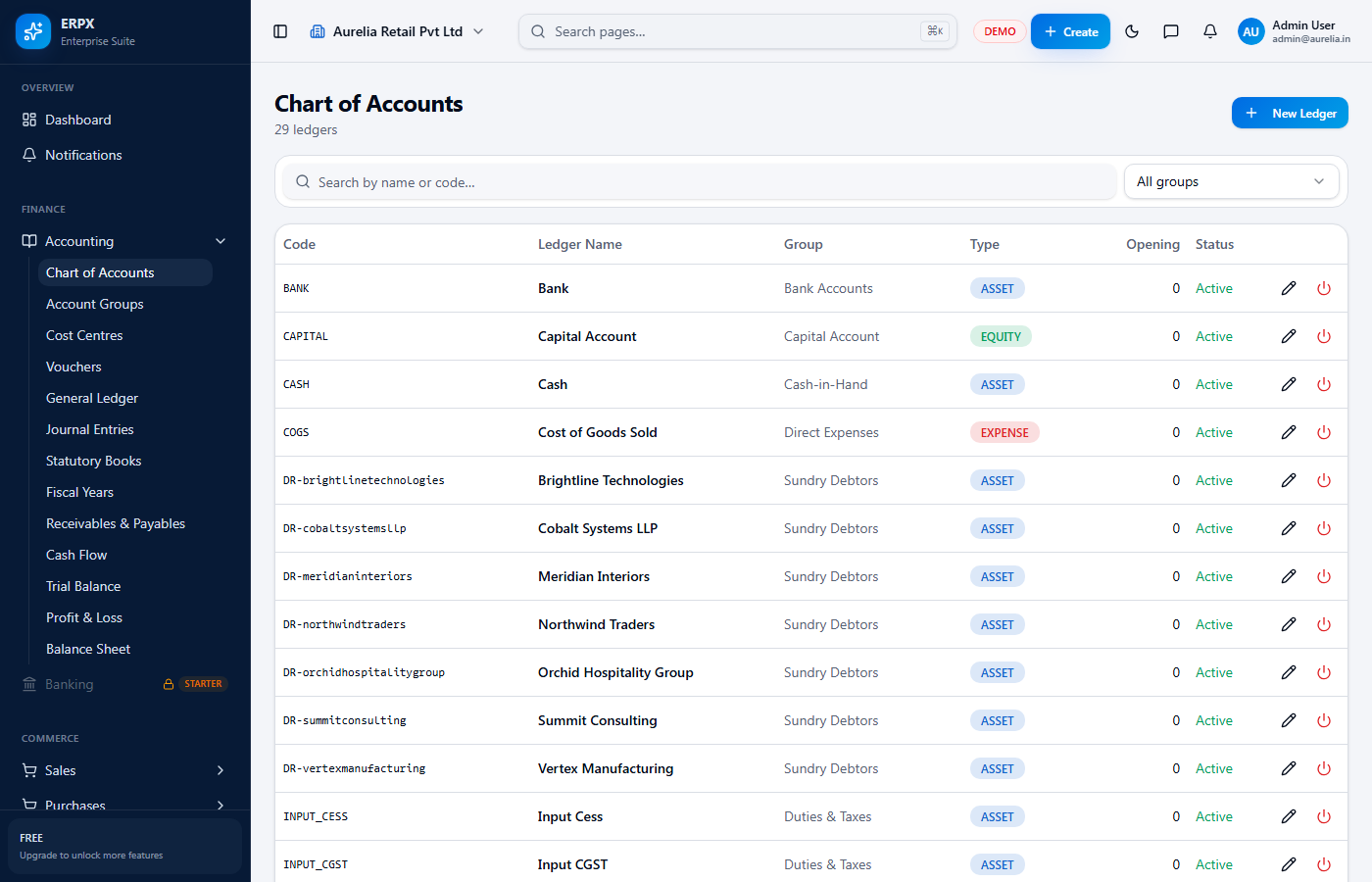
Structure your books the way your business is organised, with account groups and ledgers you control.
Record day-to-day transactions with type-specific vouchers and post adjustments through journal entries.
See the position of the business at any time without waiting for a closing exercise.
Know who owes you and whom you owe, linked directly to the invoices and bills behind each balance.
GST return filingComing soon
Filing returns directly from ERPX is on the roadmap. GST-ready reports can be exported today.
Businesses moving off spreadsheets or desktop accounting that want their books online and shared with the team.
Accountants who need role-based access, so juniors can post entries while reports and settings stay restricted.
Owners running more than one company who need each organization's data kept separate.
Invoices and customer payments flow into receivables and the ledgers.
Vendor bills and expenses update payables as they are recorded.
Bank accounts and transactions sit next to the books they reconcile with.
Yes. The Free plan supports up to 3 users and includes accounting, so a small business can start without paying and upgrade as the team grows.
ERPX produces a trial balance, profit & loss statement and balance sheet from your posted entries, along with receivables and payables views.
Yes. Role-based access decides what each user can see and do, and the audit trail records who changed what and when on every financial record.
Not yet. Direct return filing is on the roadmap. Today you can export GST-ready reports to file through your existing process.
Start free in minutes, or book a walkthrough with our team.
No credit card required · GST-ready from day one