Leads and opportunities
Capture leads, move them through stages and track the opportunities worth pursuing.
- Lead capture
- Pipeline stages
- Opportunities
ERPX tracks leads and opportunities alongside the people who own them, with every call, note and follow-up kept in context.
Because the CRM shares records with billing and accounting, your team sees a customer's invoices and payments next to the conversation — no switching between a sales tool and an ERP.
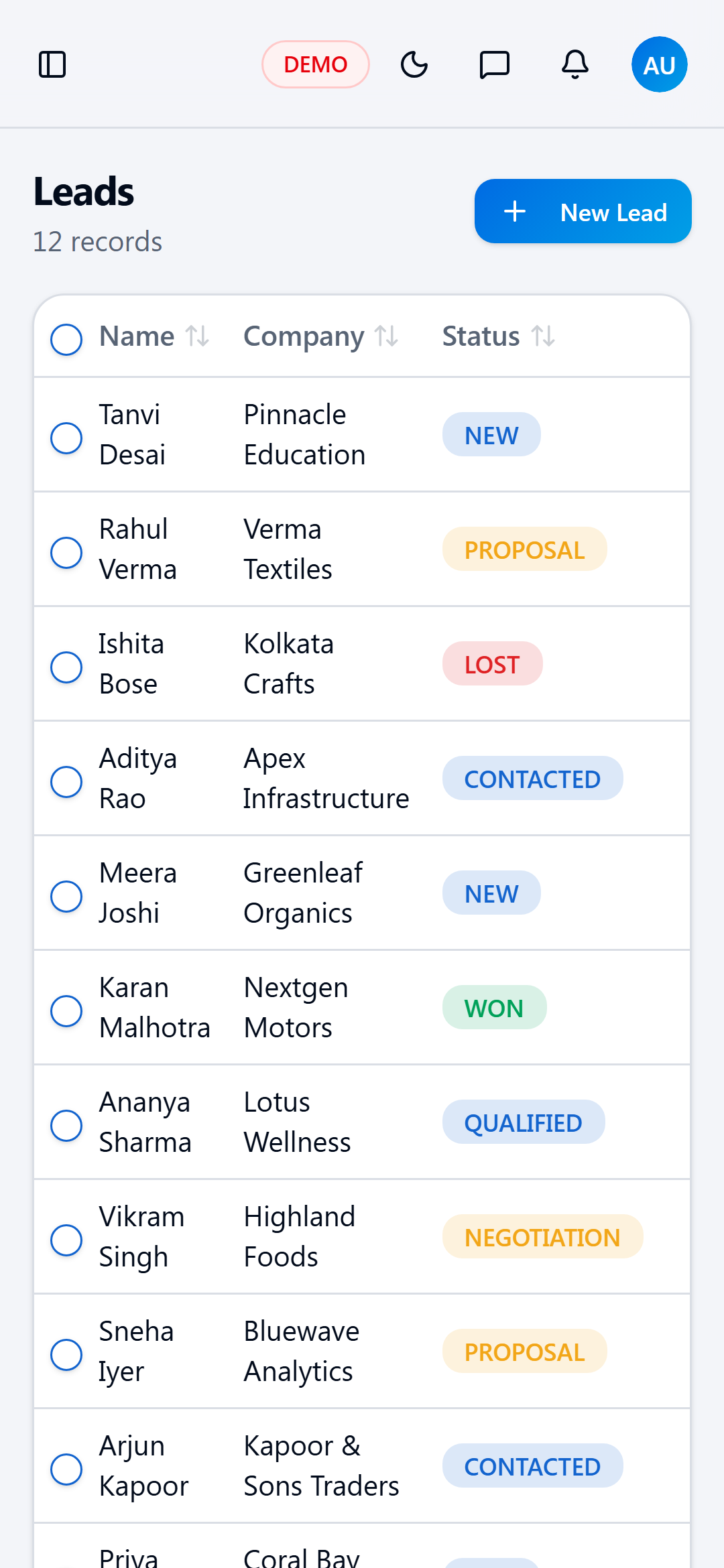
Capture leads, move them through stages and track the opportunities worth pursuing.
Log calls and notes and schedule the next step so no prospect is forgotten.
See everything about a customer in one place, including their billing history.
Assign records to owners and organise people into teams and departments.
Teams working longer sales cycles with several follow-ups per deal.
Leaders who want pipeline and revenue in the same system.
People who need a customer's orders and payments before every call.
Won deals move straight into quotations, orders and invoices.
Customer balances come from the same ledgers finance uses.
Review leads and follow-ups from the ERPX mobile app.
No. CRM is part of the same ERPX workspace, so leads, customers, invoices and payments share one set of records.
Yes. The Customer 360 view shows the customer's billing history next to their activities.
Yes. Records have owners, and people can be organised into teams and departments.
Yes. The ERPX mobile app gives access to leads and follow-ups on the go.
Start free in minutes, or book a walkthrough with our team.
No credit card required · GST-ready from day one